How to Make a QR Code for a Link
A link QR code is the most popular type — one scan opens a web page in the phone’s browser. Here is how to make one that works every time, plus the small choices that decide whether it scans cleanly or fails in the field.
Have your link ready?
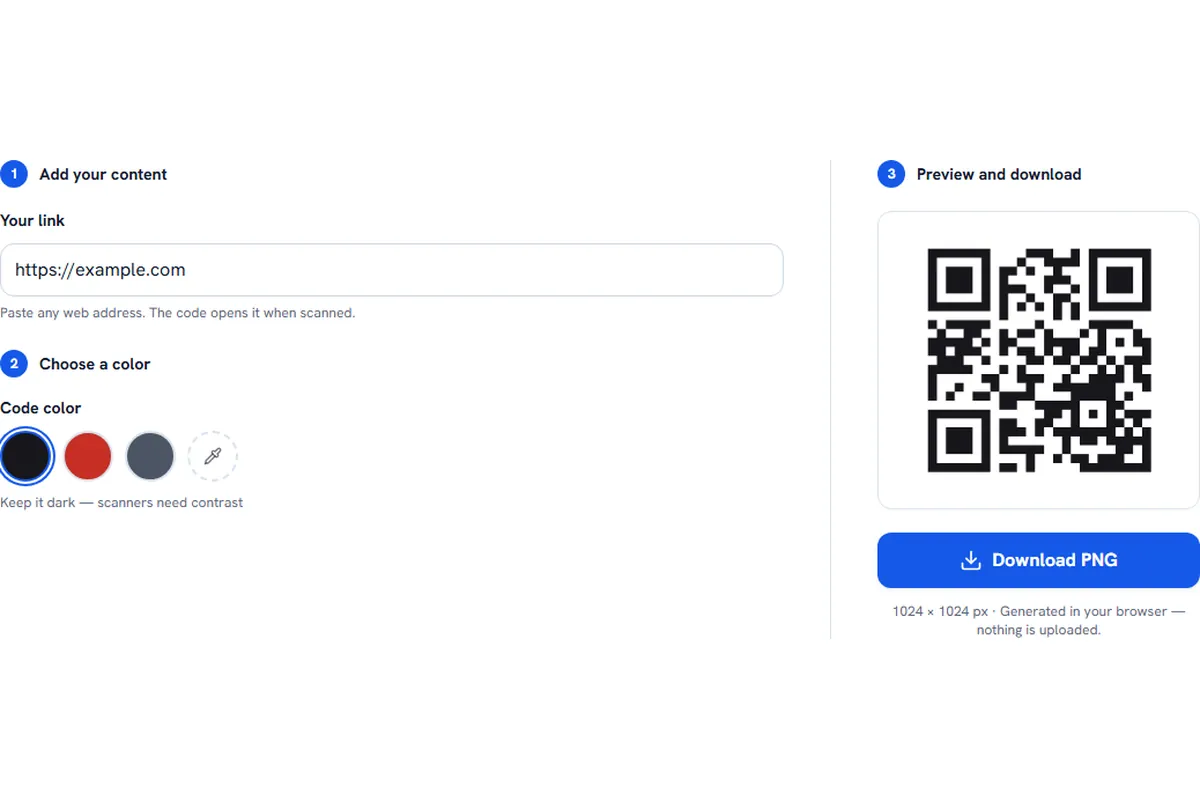
Paste it into the free link to QR code generator and download a print-ready PNG in seconds. No sign-up, nothing uploaded.
Open the link to QR code generator
Which URL should you use?
Paste the complete web address, including https://. Short, clean links produce simpler codes that scan more reliably, so use a short link when you can. Check the link works first. Open it on your own phone and make sure it loads the right page without a redirect chain.
A QR code only does what its URL does — if the destination is broken, the code is broken.
Why test the link before you make the code?
Make sure the page loads on a phone and is mobile-friendly. Most scans happen on mobile, so a page that only looks right on a desktop will disappoint everyone who scans. The QR code never expires, but it only works for as long as the link stays online.
If you control the URL, keep the page live; if you are linking to someone else’s page, there is no guarantee it stays put.
Which colors scan reliably?
Stick with dark-on-light unless you have a strong branding reason. A near-black code on a white background scans on virtually every phone. If you brand the color, keep it dark enough that the light and dark squares stay clearly different.
Download and place it
Save the PNG and put it where people will scan — a poster, a table card, packaging, or a slide. Leave the white margin intact so scanners can find the code.
Think about distance. People scanning a poster across a room need a larger code than someone scanning a card in their hand. As a rough guide, the scanning distance is about ten times the code’s width, so a 5 cm code scans from roughly half a meter away.
Common mistakes
Linking to a page that is not mobile-friendly, cropping the white margin, printing the code too small for the viewing distance, or using a URL so long the code becomes a dense grid. A short, mobile-friendly link fixes most of these at once.
How do you make a QR code in Chrome, Edge or on your phone?
Some browsers can turn the page you are viewing into a QR code. It is handy when the page is already open, but the code always points to that page, and you cannot change its color or size. Chrome on a computer: open the page, select More (⋮), then Cast, save, and share, then Create QR code.
You can copy the link or download the code.
Microsoft Edge on a computer: right-click a blank area of the page and choose Create QR code for this page, then download the PNG.
Chrome on Android: tap More (⋮), then Share…, then QR Code. Chrome on iPhone or iPad: tap Share, then Create a QR Code.
For any other link — one you paste in, a page that is not open, or a code in your own color as a 1024 × 1024 px print-ready PNG — use the free link to QR code generator.
QR codes for YouTube videos, music, Instagram and menus
A QR code stores a link, not the file itself, so a video or song QR code is simply a code for the page where it plays. Copy the share link from YouTube, Spotify, Apple Music or SoundCloud, paste it into the link QR code generator, and a scan opens the video or song in the phone’s app or browser.
The same works for an Instagram profile (instagram.com/yourname), a restaurant menu on your website, a Google Maps place, or a Google Docs, Sheets or Slides file once its sharing is set to anyone with the link. For a menu or brochure saved as a PDF, the PDF QR code generator explains how to get a public link.
If the video, playlist or menu may change, link to a page you control rather than a single file, because a static code cannot be edited after printing.
Measured by RoyaleQR
Does a longer link make a worse QR code?
It makes a denser one. In our test, a 19-character link made a version 2 code, a 34-character page link version 3, and a 100-character link with tracking tags version 6, which needed 72 pixels instead of 56 to decode. A full Google Form link reached version 7; its forms.gle short link only version 3.
| Example | Characters | QR version (grid) | Smallest width that decoded | Read from a JPEG at quality 15 |
|---|---|---|---|---|
| Short link (example.com) | 19 | 2 (25 × 25) | 56 px | Yes |
| Page link, 34 characters | 34 | 3 (29 × 29) | 56 px | Yes |
| Link with tracking tags | 100 | 6 (41 × 41) | 72 px | Yes |
| forms.gle short link | 35 | 3 (29 × 29) | 56 px | Yes |
| Full docs.google.com form link | 110 | 7 (45 × 45) | 72 px | Yes |
How we measured: on 21 November 2026 we built each example with the same QR library and settings this site uses, shrank every code to smaller sizes, saved it as a low-quality JPEG, and decoded each copy with jsQR, the decoder our QR Code Scanner runs. The examples are test data, not real accounts.
QR Code has error correction capability to restore data if the code is dirty or damaged.
Sources
Frequently asked questions
Ready to make your own QR code?
Open the free RoyaleQR generator and create a print-ready code in seconds — no sign-up, no watermark.
QR Code GeneratorRelated articles
- How to Create a QR Code
A clear, step-by-step guide to creating a QR code for free — pick a type, enter your content, customize the color, and download a print-ready PNG.
- How to Make a QR Code with a Logo or Picture
Put your logo or a photo in the center of a QR code that still scans: what the tool does for you, the size rule to follow, and how to test before you print.
- How to Scan a QR Code on iPhone
Scan QR codes on iPhone with the built-in Camera or Control Center scanner — no app required. Step-by-step for iOS.