How to Turn an Image into a QR Code
“Image to QR code” can mean two things: a QR code that opens a hosted image, or a QR code with a picture embedded in it. Here is how to do each, and how to choose between them. To share a photo, link it (below). For a picture inside the code, the size rule and print tests are in How to Make a QR Code with a Logo or Picture.
Link to a hosted image
Upload your image to your website or cloud storage and copy its public URL. Paste that URL into a QR generator — scanning opens the image in the phone’s browser.
This is the right choice when you want people to actually see a photo. The code stays small and simple because it only stores a short link, and you can swap the image behind the same URL anytime without reprinting.
Embed an image in the code
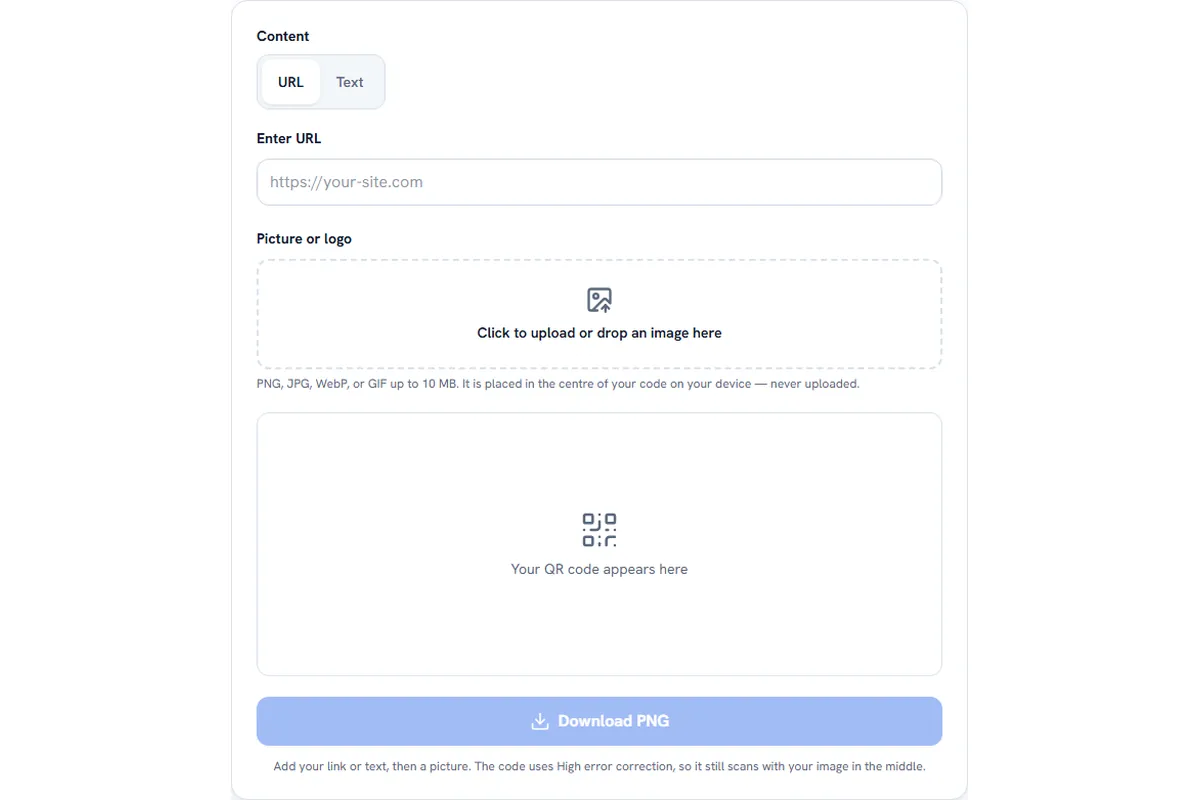
To put a picture inside the QR code itself, use the Image to QR Code tool: enter your link or text, add the image, and download the PNG. The tool sets High error correction for you.
Here the image is decoration, not the destination. The code still carries a URL or text underneath, and the picture just sits in the center to brand it or make it stand out.
Pick the right approach
If you want people to see a photo, link to it. If you want a branded or decorative code, embed the image in the center. You can even combine both — a logo in the middle of a code that links to a full photo.
Remember QR codes store text, not files. A photo itself cannot live inside the squares; it has to be hosted somewhere and reached through a link.
Tips for each path
For a hosted-image link, use a stable URL so the code keeps working, and keep the link short. For an embedded image, keep the picture around 22% of the code’s width — 30% is the maximum — and test it on a real phone.
Common mistakes
Expecting a QR code to store an actual image file (it cannot — only a link), using a hosted URL that later disappears, or embedding an image so large it breaks scanning.
Measured by RoyaleQR
Does a photo in the middle stop a QR code from scanning?
Not if it stays small. We placed a picture on a white tile in the centre of 22 test codes. At 22 percent of the width, the size this site suggests, 21 decoded at full size and 21 at 128 pixels wide. At 40 percent, only 14 decoded at either size.
| Logo width | Decoded at 1024 px | Decoded at 128 px |
|---|---|---|
| 15% of the width | 21 of 22 | 21 of 22 |
| 22% of the width | 21 of 22 | 21 of 22 |
| 30% of the width | 21 of 22 | 20 of 22 |
| 35% of the width | 20 of 22 | 18 of 22 |
| 40% of the width | 14 of 22 | 14 of 22 |
How we measured: on 21 November 2026 we built each example with the same QR library and settings this site uses, shrank every code to smaller sizes, saved it as a low-quality JPEG, and decoded each copy with jsQR, the decoder our QR Code Scanner runs. The examples are test data, not real accounts.
QR Code has error correction capability to restore data if the code is dirty or damaged.
Frequently asked questions
Ready to make your own QR code?
Open the free RoyaleQR generator and create a print-ready code in seconds — no sign-up, no watermark.
Image to QR CodeRelated articles
- How to Make a QR Code with a Logo or Picture
Put your logo or a photo in the center of a QR code that still scans: what the tool does for you, the size rule to follow, and how to test before you print.
- How to Make a QR Code for a Link
Turn any URL into a scannable QR code. Paste your link, choose a color, and download a PNG that opens the page when scanned.
- How to Create a QR Code
A clear, step-by-step guide to creating a QR code for free — pick a type, enter your content, customize the color, and download a print-ready PNG.